ATDSC Video Conferencing Software About
ATDSC Video Conferencing Software
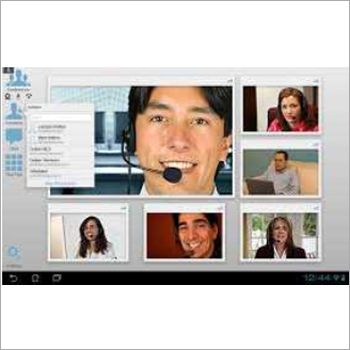
ATDSC is a comprehensive communication platform which is based on strong audio and video engineering tools. It comes with Perpetual License (One time cost. No recurring/Annual charges).
It offers you the opportunity to experience
- True HD life like Audio and Video Live Communication
- Communication starting from Point to Point, and supports Multipoint 100,200 or even more.
- 64 concurrent screens and live video.
- Text Chats
- Collaboration tools: Desktop sharing, Control, Application Share - like presentations, spread sheets etc.
- Share and edit files
- Record session
- Supports and Windows/MAC/Android/lOS
Other Key Features:
- White Board Built-in feature for annotation ona white screen or any application.
- Share Video files live
- Host has all the control - To allow or not to allow the the participants to speak and for other functions
- Option for participants to join in with two way Audio Video communication or just one way only receiving.
- Works on Internet and Intranet
- Different layouts for conferencing as per the Requirement- Standard, Training or Video.
High-Definition Video and Recording OptionsExperience meetings in stunning clarity with support for HD, Full HD, and 4K video resolutions. The platform offers both cloud and local recording, allowing users to capture and archive important sessions securely and conveniently.
Advanced Collaboration FeaturesBoost team productivity with built-in tools such as real-time chat, file transfer, collaborative whiteboard, and live polling. These features ensure effective communication, idea sharing, and engagement throughout your meetings.
Integration and CompatibilityEasily integrate with Outlook, Google Calendar, and popular CRM software. ATDSC Video Conferencing Software runs smoothly on Windows, Mac, Android, iOS, and Linux, and is accessible via USB, HDMI, wireless, and web-based interfaces.
FAQs of ATDSC Video Conferencing Software:
Q: How can I record and access meeting recordings using ATDSC Video Conferencing Software?
A: Meetings can be recorded directly to the cloud or saved locally on your device. Recorded files are accessible through the admin portal or local directories, depending on your chosen recording option.
Q: What security measures are implemented to protect video conferences?
A: ATDSC incorporates robust security features including data encryption, end-to-end encryption, and password-protected meetings to ensure all communications remain confidential and secure.
Q: What is the process to integrate ATDSC with Outlook or Google Calendar?
A: Integration with Outlook or Google Calendar can be set up through the platforms settings by following the step-by-step instructions provided, enabling seamless scheduling and meeting notifications.
Q: Where can I access ATDSC if I need support or encounter an issue?
A: You can reach the dedicated help desk 24x7 through remote assistance, email support, or by contacting the support team via the in-app chat feature for prompt resolutions.
Q: What are the system requirements to use ATDSC Video Conferencing Software?
A: The minimum requirements include a device with 2GB RAM, dual-core processor, and 2 Mbps internet connectivity. The software is compatible with Windows, Mac, Android, iOS, and Linux systems.
Q: How does custom branding benefit my organization?
A: Custom branding allows you to personalize the video conferencing interface with your organizations logo and theme, enhancing professionalism and reinforcing your brand during meetings or events.




 Send Inquiry
 Get Latest Price

